Text · Mark customers as VIPs and their chat history will be displayed preferentially
Customers marked as VIPs will have their chat history pinned to the top of the chat history, allowing staff on duty to prioritize replying to the most valuable customers.
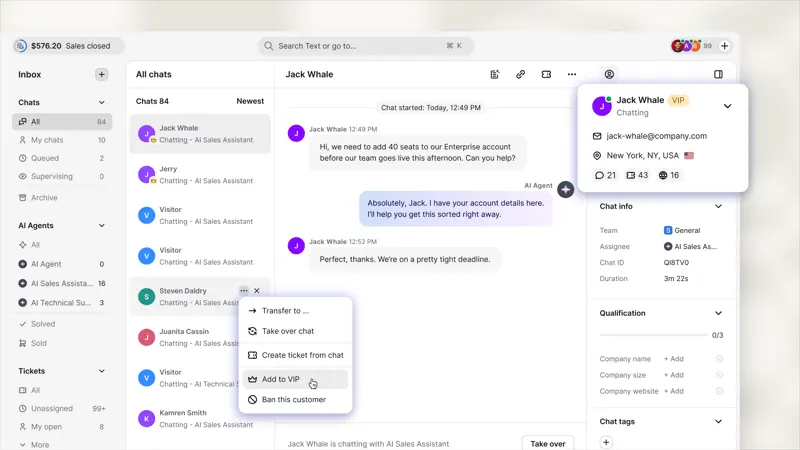
Mark customers as VIPs, and their chat history will be displayed at the top, even if the person answering the call doesn't know the VIP's name.
This status will be recorded in the customer's information.
VIP status belongs to the customer, not to a single conversation, so it accompanies the customer through chat, email, and ticketing.
Mark customers as VIPs from the three-dot menu or conversation title in the customer card, chat, or ticket line.
I went through the entire process of a real cross-border consultation, following up from the buyer's initial questions to the final response. I recorded which steps required repeated explanations, switching applications, or waiting for colleagues, and then listed the longest steps as key areas for trial use.