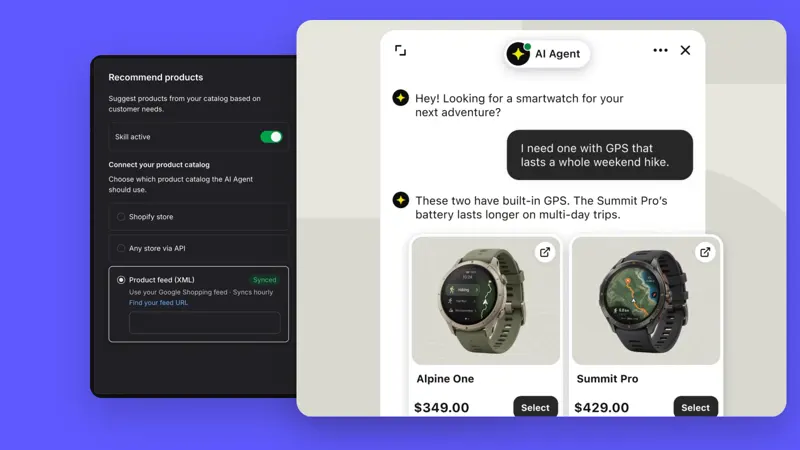
Text · Track more potential customers without losing the best sales leads
The customer field now has categories, so you can track more information about your customers and see which potential customers are your best business opportunities.
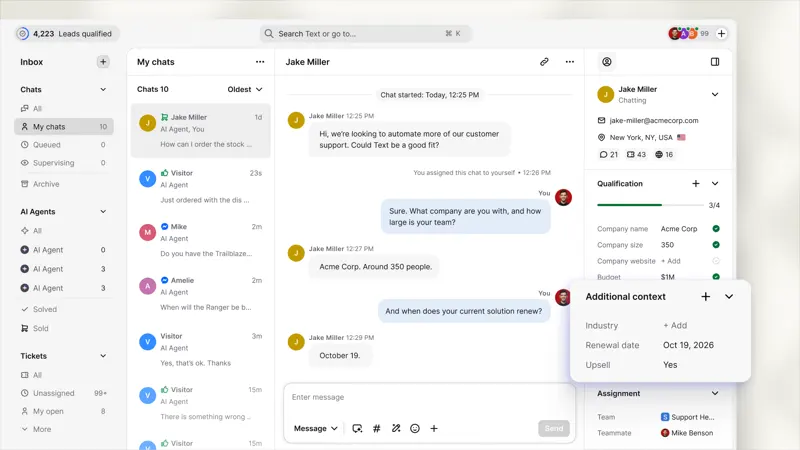
One potential client mentioned that their contract would be renewed in three weeks, and any purchases they made had to be compatible with their customer relationship management system.
Therefore, follow-up should begin with what the customer has said, rather than asking them to repeat themselves.
When "Completed" is displayed, you can hand the lead over to the person who will close the deal, or proceed with the next steps according to the list of qualified leads. Also, be aware that "score" has the same meaning in every profile.
When creating a customer field under "Settings" → "Customers" → "Customer Fields", set the field category; or add the field directly from any part of the customer profile.
For wholesale business, target market, expected quantity, and intended use can be used as initial communication fields. First, define when to hand over to sales, then compare the actual number of leads that can be contacted after the handover, avoiding using form submissions to replace valid business opportunities.