LiveChat · Cloudbeds: Add online chat functionality to your booking page
Learn how to add live chat to your Cloudbeds booking page. Answer customer questions in real time, proactively drive more bookings through chat, and more.
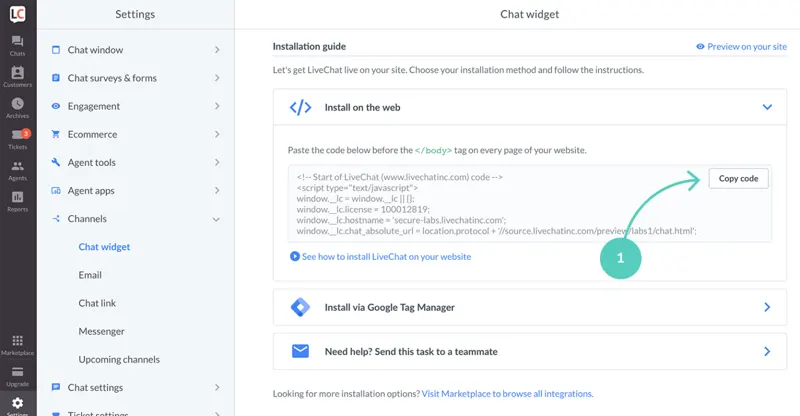
How to install the online chat feature on the Cloudbeds booking page
To add LiveChat to your page, you need to log in to both your LiveChat and Cloudbeds accounts.
This is what LiveChat looks like on the sample booking page (you can change its color and style using the chat widget configurator).
Upon completion of installation, the acceptance log should include the test page, test equipment, message sending time, and agent receiving time. If simply seeing the chat icon is insufficient to confirm message delivery, a two-way reply should be completed.