LiveChat · Set up invoices for your company
Please use company information on your invoices, not your own name and address. Learn how to set up company invoices in your LiveChat license.
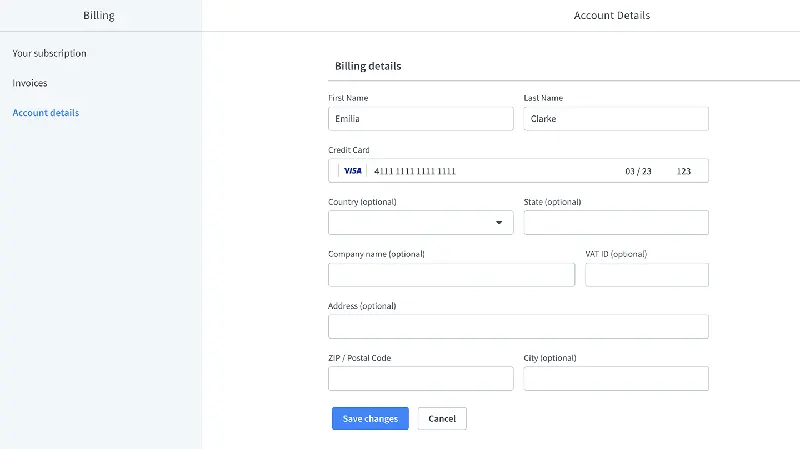
If you want to set up invoices that include company billing information, you can do so directly in the "Upgrade" section under "Account Details" in LiveChat.
Your company may require this invoice policy, or it may simply be the most convenient way for your accounting department to process finances.
Log in to your LiveChat owner account and access the "Upgrade" section.
Upon completion of installation, the acceptance log should include the test page, test equipment, message sending time, and agent receiving time. If simply seeing the chat icon is insufficient to confirm message delivery, a two-way reply should be completed.