Installing LiveChat in WordPress: From Plugin Authorization to Front-End Message Acceptance
LiveChat's WordPress installation guide provides a path to connect the site to the workspace via a plugin, ideal for teams that want to avoid manually editing the theme.
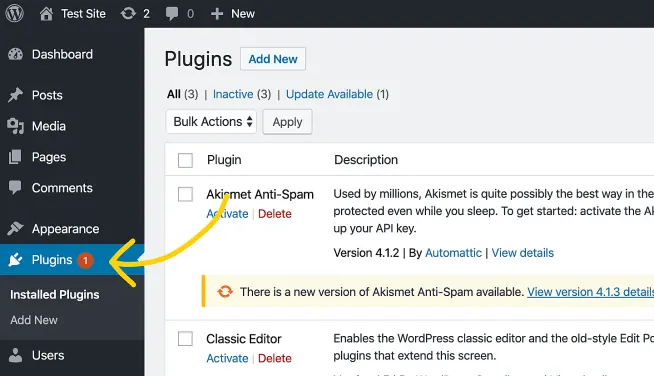
Install and enable the corresponding plugin under an account with plugin management permissions, and connect to the correct LiveChat workspace as shown in the interface. Open the public article and send a message using a browser window that is not logged in.
If no entry point appears on the visitor's end, check in the following order: published topics, cached content, and existing chat plugins. Once you've confirmed that both desktop and mobile devices can send and receive messages, then consider setting more granular reception strategies for different categories.